22,656
Stars
1,670
Forks
120
Watchers
20
Open Issues
MIT
许可证
Python
语言
2022-09-24
创建时间
2026-11-09
最近更新
项目能做什么
基于 OpenAI Whisper 驱动,可在个人电脑上离线转写和翻译音频的工具。
来源:基于仓库元数据
· 内容以仓库实际 README 为准
使用说明 查看原始 README 原仓库文档
中文使用说明暂未生成。下面保留原仓库 README 摘录,命令与配置均以原文为准。
原始 README 摘录(英文原文,节选前 3000 字符)
[[简体中文](readme/README.zh_CN.md)] <- 点击查看中文页面。 # Buzz [Documentation](https://chidiwilliams.github.io/buzz/) Transcribe and translate audio offline on your personal computer. Powered by OpenAI's [Whisper](https://github.com/openai/whisper).  [](https://github.com/chidiwilliams/buzz/actions/workflows/ci.yml) [](https://codecov.io/github/chidiwilliams/buzz)  [](https://GitHub.com/chidiwilliams/buzz/releases/) 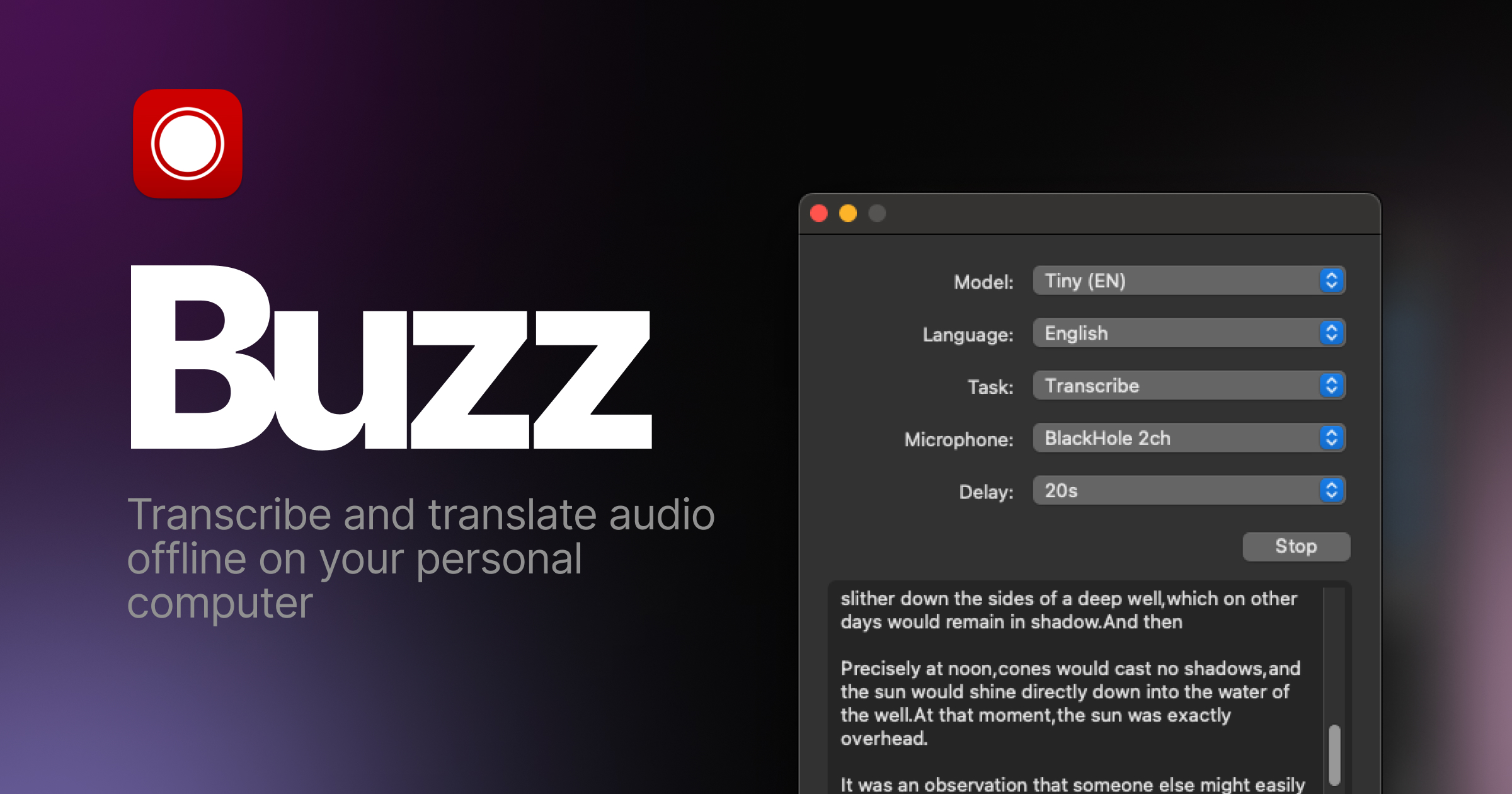 ## Features - Transcribe audio and video files or Youtube links - Live realtime audio transcription from microphone - Presentation window for easy accessibility during events and presentations - Speech separation before transcription for better accuracy on noisy audio - Speaker identification in transcribed media - Multiple whisper backend support - CUDA acceleration support for Nvidia GPUs - Apple Silicon support for Macs - Vulkan acceleration support for Whisper.cpp on most GPUs, including integrated GPUs - Multiple Transformer model family support via Huggingface whisper type - Export transcripts to TXT, SRT, and VTT - Advanced Transcription Viewer with search, playback controls, and speed adjustment - Keyboard shortcuts for efficient navigation - Watch folder for automatic transcription of new files - Command-Line Interface for scripting and automation - Plugin system with plugins like AI summary generation and automated transcript resizing ## Installation ### macOS Download the `.dmg` from the [SourceForge](https://sourceforge.net/projects/buzz-captions/files/). > **Intel Macs:** Buzz now requires Apple silicon. The last version to support > Intel Macs is **1.4.5**. ### Windows Get the installation files from the [SourceForge](https://sourceforge.net/projects/buzz-captions/files/). App is not signed, you will get a warning when you install it. Select `More info` -> `Run anyway`. ### Linux Buzz is available as a [Flatpak](https://flathub.org/apps/io.github.chidiwilliams.Buzz), [Snap](https://snapcraft.io/buzz) or [Appimage](https://sourceforge.net/projects/buzz-captions/files/). To install flatpak, run: ```shell flatpak install flathub io.github.chidiwilliams.Buzz ``` [](https://flathub.org/en/apps/io.github.chidiwilliams.Buzz) To install snap, run: ```shell sudo apt-get install libportaudio2 libcanberra-gtk-module libcanberra-gtk3-module sudo snap install buzz ``` [
综合评分 55.1 分。该项目在“个人可实施性”维度得 15 分,“付费可能性”维度得 72.0 分,差异化空间 76.0 分(评分依据见评分卡)。
将 buzz 改造为垂直场景 SaaS
| 产品构想 | 保留核心能力,针对某一类用户(如某行业团队)做托管版,收取月费。 |
| 目标用户 | 有该需求的中小团队 / 独立站长 |
| 难度/周期 | 较高 · 2~4 周(MVP) |
| 收费模式 | 订阅制(如 ¥29~99/月) |
| 竞争风险 | 需验证付费意愿;注意许可证合规 |
| 依据 | 数据支持的判断:许可证与关键词显示存在商用与付费场景 |
面向细分需求的二次开发产品
| 产品构想 | 基于 buzz 的核心能力,聚焦一个更窄的场景(如某平台、某行业)做差异化。 |
| 目标用户 | 该细分场景用户 |
| 难度/周期 | 中 · 2~6 周 |
| 收费模式 | 买断制 / 订阅制 / 广告 |
| 竞争风险 | 细分需求规模需验证 |
| 依据 | AI 推测:基于项目主题标签的判断 |
以上为规则引擎基于仓库公开数据生成的参考结论,包含推测成分,不构成投资或创业承诺;配置 AI 后可获得更深入的分析。
报告会保存到 个人中心
竞品与相似项目 GitHub Search 真实检索
| 项目 | 中文简介 | Stars | 语言 |
|---|---|---|---|
| openai/whisper | 中文介绍暂未生成 Robust Speech Recognition via Large-Scale Weak Supervision |
112,373 | Python |
| jamiepine/voicebox | 中文介绍暂未生成 The open-source AI voice studio. Clone, dictate, create. |
60,398 | Python |
| ggml-org/whisper.cpp | 中文介绍暂未生成 Port of OpenAI's Whisper model in C/C++ |
55,078 | C++ |
| Zackriya-Solutions/meetily | 中文介绍暂未生成 Privacy-first AI meeting note taker for Windows and macOS. F |
32,607 | Rust |
| SYSTRAN/faster-whisper | 中文介绍暂未生成 Faster Whisper transcription with CTranslate2 |
26,655 | Python |
| m-bain/whisperX | 中文介绍暂未生成 WhisperX: Automatic Speech Recognition with Word-level Time |
25,203 | Python |
以上为通过 GitHub 官方 Search API 检索的相似项目,功能差异与优劣势需进一步人工确认,配置 AI 后可生成对比分析。
项目优势与风险
| 技术成熟度 | 创建于 2022-09-24,近 30 天仍在推送,发布过 48 个 Release |
| 社区活跃 | Star 22,656 / Fork 1,670 / Issue 20(数据支持,可自行核实) |
| 许可证 | MIT |
| 主要风险 | 上游项目方向可能变化;同赛道竞争者较多(见竞品表);热度与需求不完全等价 |
安装与使用
快速开始(以仓库 README 为准)
git clone https://github.com/chidiwilliams/buzz.git
cd buzz
# 请阅读仓库 README 获取确切安装步骤(依赖、配置、启动命令)
术语说明:Docker=应用容器(把程序和依赖打包运行);API Key=调用外部服务的密钥;Git Clone=把仓库代码下载到本地。常见错误:API Key 未配置 / 端口占用 / 数据库连接失败,多数项目在 README 的 Troubleshooting 章节有说明。